
Starter
$9.99
50Credits
$0.200 / Credit- Up to 50 generations
- Standard resolution
- Email support
- Priority queue
One-Time Payment - No Subscription
Complete your purchase in 5 simple steps
Select a credit package and click Buy Now. You'll be redirected to Telegram to complete payment.
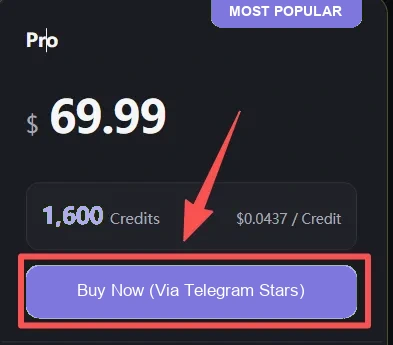
Tap Open Invoice to continue. Payment opens in Telegram. If not installed, you'll be prompted to install it.

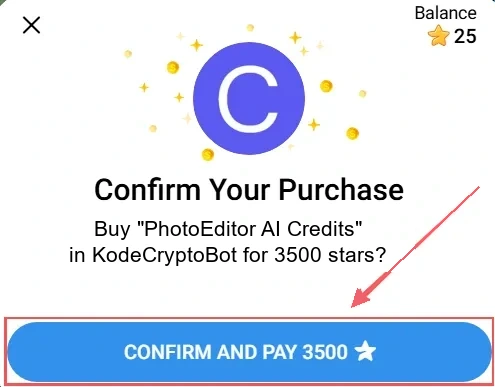
Click Pay to complete payment. If you have insufficient Stars, you'll be prompted to buy Stars and continue.
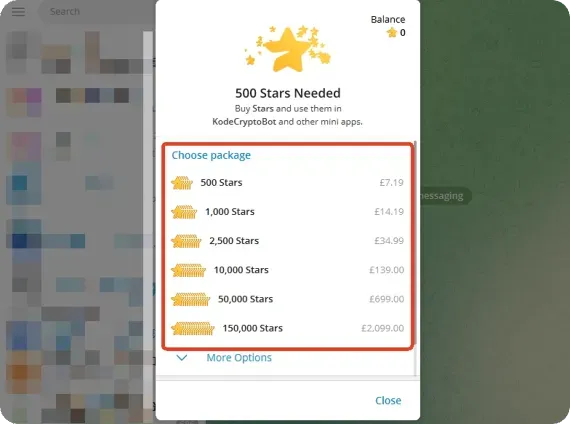
Go to Telegram Settings > My Stars to buy Stars, then choose Apple Pay, Google Pay, or a card at checkout.
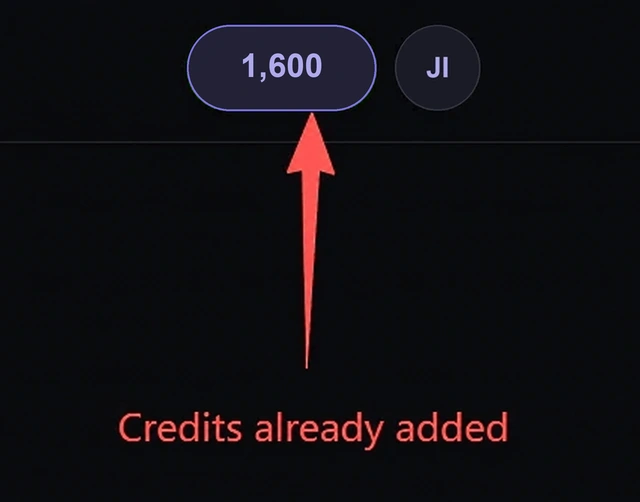
Your credits are added automatically after payment confirmation. Return here to keep creating.
| Features | Starter | Basic | Pro | Premium |
|---|---|---|---|---|
| Credits | 50 | 400 | 1,600 | 3,000 |
| Max resolution | Standard | High | High | Ultra high |
| Priority queue | ||||
| Support level | Priority | 24/7 priority | ||
| Credits expire | Never | Never | Never | Never |
No. Credits you purchase never expire. Use them whenever you need them.
Yes. You can purchase additional credits at any time. There are no locked-in tiers - just buy what you need.
We accept Telegram Stars. When buying Stars in Telegram, available options may include Apple Pay, Google Pay, or a bank card.
All purchases are final and non-refundable. Please choose your credit package carefully before completing payment.
Credits are added automatically after payment confirmation. If your balance has not updated after a few minutes, refresh your credits before purchasing again.